Keywords for job application forms, not just your resume
Application forms have their own keyword fields, separate from your resume: skills selectors, screening questions, free text boxes. How to fill each one.
- Keywords
- Job applications
- ATS
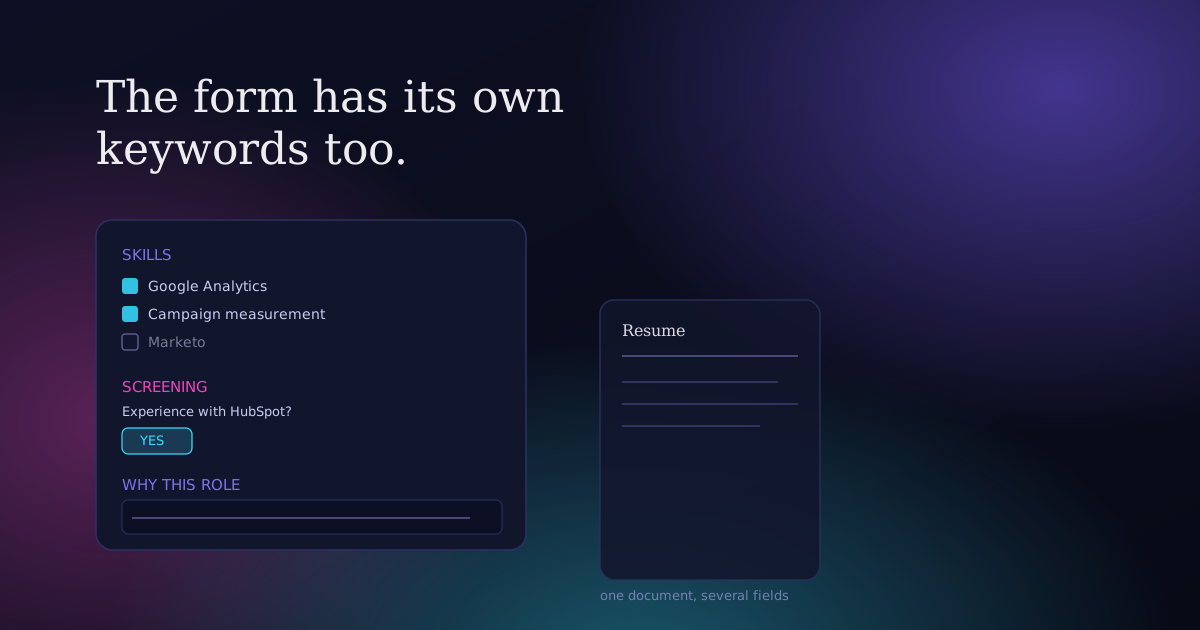
You tailor your resume, upload it, and then the real form starts: a skills checklist with 40 options, a free text box asking why you are a good fit, three screening questions before you can even submit. Most advice about resume keywords stops at the document. It has almost nothing to say about the form wrapped around it, even though that form has its own separate keyword logic, and getting it wrong can sink an application your resume alone would have passed.
The form is not the resume, and it has its own keywords
Here is the position worth stating plainly: a job application form and your resume are two different keyword surfaces, scored, searched, or reviewed in different ways, and treating the form as a formality you rush through after the "real work" of the resume is a mistake. Large employers run applications through platforms like Workday, Greenhouse, iCIMS, Taleo, or SuccessFactors, systems built specifically to structure and search what a candidate submits. Jobscan's own research, cited widely including in Harvard Business School and Accenture's 2021 Hidden Workers study, found that 99% of Fortune 500 companies use an applicant tracking system of some kind. Most of what people call "ATS keywords" advice is written for the resume upload step only. The fields that come after it, the ones you type into directly, get almost no attention, and they are graded on their own terms.
That gap matters because those fields are often structured, searchable, and sometimes literally required before the system will let you submit at all. A resume with perfect keyword coverage does not fix a blank skills selector or a screening question answered with one flat sentence.
The four kinds of keyword fields on a real application form
Not every form has all four, but most applications at a mid-size or larger employer include at least two.
Skills or competency selectors. A checklist or searchable multi-select field, often the same taxonomy the platform uses to tag its own job postings. This is the single most literal keyword field on the entire application: you are choosing from a fixed list, not writing prose, and the system searches on exactly what you selected.
Screening or knockout questions. Short, specific questions asked before you can proceed: "Do you have current CPA licensure?" "Are you authorised to work in this country without sponsorship?" "How many years of experience do you have with NetSuite?" These are frequently used to filter candidates automatically before a human ever opens the application, which makes the specific term in the question, not a paraphrase of it, the keyword that matters.
Free text boxes. "Why are you interested in this role," "Describe your relevant experience," "Cover letter" fields with no attachment option. These read more like a resume than a form, but they are usually shorter, unformatted, and skimmed differently, which changes how density and placement should work inside them.
Structured experience fields. Job title, employer, dates, and a short bullet-style description entered directly into form fields rather than uploaded as a document. The title field in particular behaves like a searchable keyword field in its own right, separate from whatever title appears on your resume.
How to fill each one
Skills selectors: be complete, not just accurate. The temptation is to tick the boxes you consider your strongest skills and stop. The better approach is to go through the entire list methodically and select every option you can genuinely stand behind, even ones that feel minor, because an unselected box does not read as "average," it reads as "does not have this," full stop. If the selector groups items by category, check each category rather than only the one that feels most relevant to the role, since these lists are often reused across many job postings and include adjacent skills the specific ad did not mention. The one hard limit: never select a skill you cannot defend in an interview. A checkbox is a claim, and it gets tested the same way a resume line does.
Screening questions: answer the literal question with the literal term. If a screening question asks "Do you have experience with SAP S/4HANA," the useful answer names SAP S/4HANA specifically, not "enterprise resource planning systems." These questions are often used for automatic filtering, so a vague or evasive answer to a yes-or-no question is read as a no. Where the honest answer is genuinely no, say so. A knockout question exists to save both sides time on a mismatch, and guessing your way past one usually surfaces later in the process anyway, at a worse moment than now.
Free text boxes: tailor them like a short cover letter, not a pasted resume. Copying resume bullets straight into a "why are you interested" box wastes the field and reads as exactly what it is. These boxes are read more like prose than scanned like a list, so lead with one or two of the searchable specifics from the job ad (the named tools, standards, or scope markers described in how to find keywords in a job ad), then say something the job ad itself would not let you guess, why this role specifically, not the category of role in general. Keep it to a few tight sentences. A free text box that reads like an essay gets skimmed, not read.
Structured experience fields: use the field's own vocabulary for your title. If your actual job title was something internal and non-standard, like "Growth Ninja" or "Member Experience Consultant," and the field lets you edit it, use the standard industry term with your real title in brackets, the same fix that applies to a resume: "Customer Success Manager (Member Experience Consultant)." Where the field only accepts free text for your description, treat it exactly like a resume bullet: a specific, evidenced line rather than a duty summary.
A worked example
Take a mid-level marketing application with a Workday-style form behind it. The skills selector includes forty checkboxes grouped under Analytics, Content, Paid Media, and Tools. A candidate who has run paid social campaigns, built monthly reporting decks, and used Google Analytics and Canva regularly should select all four of those specifically, plus adjacent ones they can defend: campaign measurement, competitive analysis, if those were genuinely part of the role, even if the job ad itself only used the phrase "marketing specialist." Skipping the Tools category because "the ad didn't ask about tools" leaves real, checkable signal on the table.
The screening question reads: "Do you have experience with marketing automation platforms (HubSpot, Marketo, or similar)?" If the honest answer is "I have used HubSpot for about a year, mostly for email campaigns," the answer to give is a direct yes, with HubSpot named specifically, saved for the free text or interview stage to add the "mostly for email" nuance. The yes or no gate is asking whether the category applies at all, not for the full caveat.
The free text box, "Why are you interested in this role," gets one sentence naming the specific product or market the posting described, one sentence connecting a genuine, specific achievement (the campaign measurement work, the reporting rebuild) to what the role needs, and a close that is honest rather than generic. Three sentences, not a paragraph, and none of it copied from the resume verbatim.
Common mistakes worth naming directly
Leaving a skills selector half-filled because it "felt like enough." It rarely is. These fields are compared against other candidates who filled them out completely, and a sparse selection reads as a sparse skill set, whether or not that is true.
Treating a knockout question as optional context rather than a gate. Some of these questions genuinely filter applications automatically before a human sees them. A soft or evasive answer to a hard yes-or-no question is the single most avoidable way to lose an application you were otherwise qualified for.
Copy-pasting the resume into every free text box on the form. It wastes a field that is read differently, and a reviewer who opens both the resume and the form back to back notices the duplication immediately.
Assuming the resume alone carries the whole application. On a platform-driven application, the resume is one input among several, and the platform's own structured fields often get searched and filtered before anyone reads the document at all.
If you have not already worked through how to find the right words in the job ad itself, that process is the foundation this entire form-filling approach builds on: the same searchable specifics, role vocabulary, and scope markers apply here, just distributed across more fields than one document. Once you know your industry's real keyword set, the Keyword Atlas has sourced hard skills, tools, and certification terms by field, useful for populating a skills selector completely rather than from memory.
Common questions
What is the difference between resume keywords and application form keywords?
Resume keywords live inside a single uploaded document and are usually matched by a parsing or search system reading unstructured text. Application form keywords live in structured fields, skills checklists, screening questions, and free text boxes, that are often searched, filtered, or scored on their own, separately from whatever the resume says.
Do I need to fill out every skill checkbox on a job application?
Not every box, but every box you can genuinely defend. Selecting only your strongest three or four skills when the list has forty options usually understates your actual fit, since an unchecked box reads as "does not have this," not "has this but modestly."
Should I copy and paste my resume into application form text boxes?
No. Free text fields like "why are you interested in this role" are read more like a short cover letter than scanned like a resume, and duplicating resume content wastes the field. Lead with a specific, job-ad-matched detail and a genuine reason for interest instead.
What happens if I leave an optional keyword field blank on an application?
It depends on the field, but treat "optional" cautiously. A skills selector or screening question left blank is often read the same as a negative answer by both automated filters and human reviewers, even where the field was technically not mandatory to submit the form.
Are screening questions on job applications the same as ATS keyword matching?
They overlap but are not identical. Keyword matching typically searches free text for terms. A screening question is usually a direct, structured question, often yes or no or a number, used to filter applications automatically before a human reviews them, which makes an honest, literal answer more important than clever phrasing.
How many skills should I select in an application form skills field?
There is no target number to hit. Select every skill in the list you can honestly stand behind in an interview, work through every category rather than only the most obviously relevant one, and stop exactly there. Padding the list with skills you cannot demonstrate causes more damage later than a shorter, accurate list.
How ResumeProofed fits, and where it doesn't
ResumeProofed tailors your resume document to a specific job ad's language from a confirmed history of what you have actually done. It does not fill out the application form around that document, the skills selectors, screening questions, and free text boxes described above still need your own attention, field by field, because they are outside the resume itself. What it does give you is the same disciplined keyword read this article describes: the searchable specifics and role vocabulary in a job ad, sorted from the wallpaper, so you walk into the rest of the form already knowing which terms are worth using and which achievements back them up.
Try ResumeProofed free: two tailored applications on the house, no card required.