Best free AI cover letter generators, compared
Grammarly, Kickresume, Rezi, LoopCV and ChatGPT all offer a free way to generate a cover letter. Here's what each actually requires and gives you for $0.
- Cover letters
- Resume tools
- Comparison
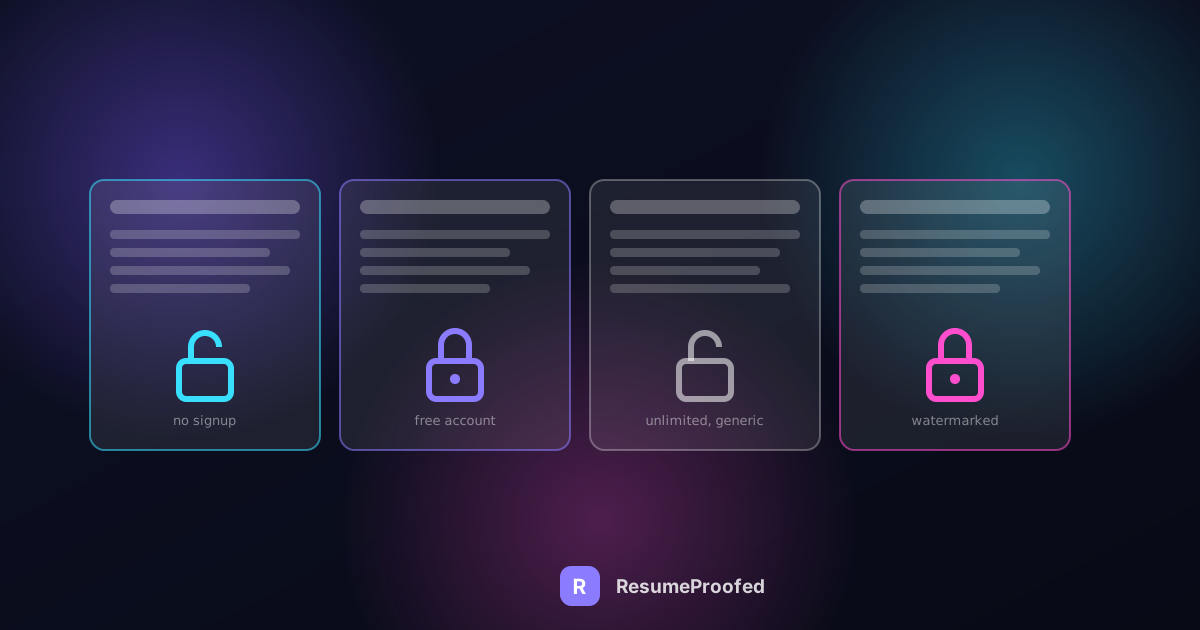
Search "free AI cover letter generator" and the results are dominated by tools that promise a finished letter in thirty seconds, then ask for a card number the moment you try to download it. This roundup sticks to five that actually produce a usable draft at $0: Grammarly, Kickresume, Rezi, LoopCV, and ChatGPT. Each one draws its free line in a different place, and only one of the five asks for nothing at all, not even an account.

The position worth stating early: "free" and "AI-written from your actual resume and the job ad" are two different promises, and not every tool on this list makes both of them. Grammarly, Kickresume, Rezi, and ChatGPT genuinely read your resume and a pasted job description to draft something tailored. LoopCV is the only fully no-signup option here, but it works by filling a template with details you type in rather than analyzing a job posting, which is a real trade-off worth knowing before you pick it for a specific application.
The five, compared
| Tool | Signup required | Reads your resume + job ad | Free usage limit | Output |
|---|---|---|---|---|
| Grammarly | Yes, free account | Yes | Unrestricted, free | Formatted draft letter, editable |
| Kickresume | Implied, free account | Yes | First AI-generated letter free, then Premium | Formatted, ready-to-send draft |
| Rezi | Yes, free account | Yes | Unlimited cover letters on the free plan | Formatted draft, can autofill from a saved Rezi resume |
| LoopCV | No signup at all | No, template fields only | Unlimited, no limit stated | Plain text from a template, four styles |
| ChatGPT | Yes, free account | Yes, if you paste both in | Generous free tier, no hard cap published | Plain text, no formatting |
Grammarly: genuinely free, but you're building it from scratch each time

Grammarly's cover letter generator asks for three things: your resume, uploaded as a DOC, DOCX, or TXT file or pasted as text, the job title, and the responsibilities and requirements from the actual job ad. In exchange it produces a complete, formatted draft, addressed, dated, with a real opening and closing, not just a paragraph of prose you have to assemble yourself. It is completely free to use, with no credit card requested at any point, but it does require creating a free Grammarly account before you can run the tool at all.
The honest trade-off here is depth versus specialization: Grammarly is a general writing platform with a cover letter tool attached, not a career-specific product, so it won't flag resume-specific formatting issues or compare your letter's tone against hiring norms the way a dedicated career tool might. What it reliably does is turn a resume and a job description into a usable first draft, fast, at no cost.
Kickresume: one genuinely free AI letter, then a paywall
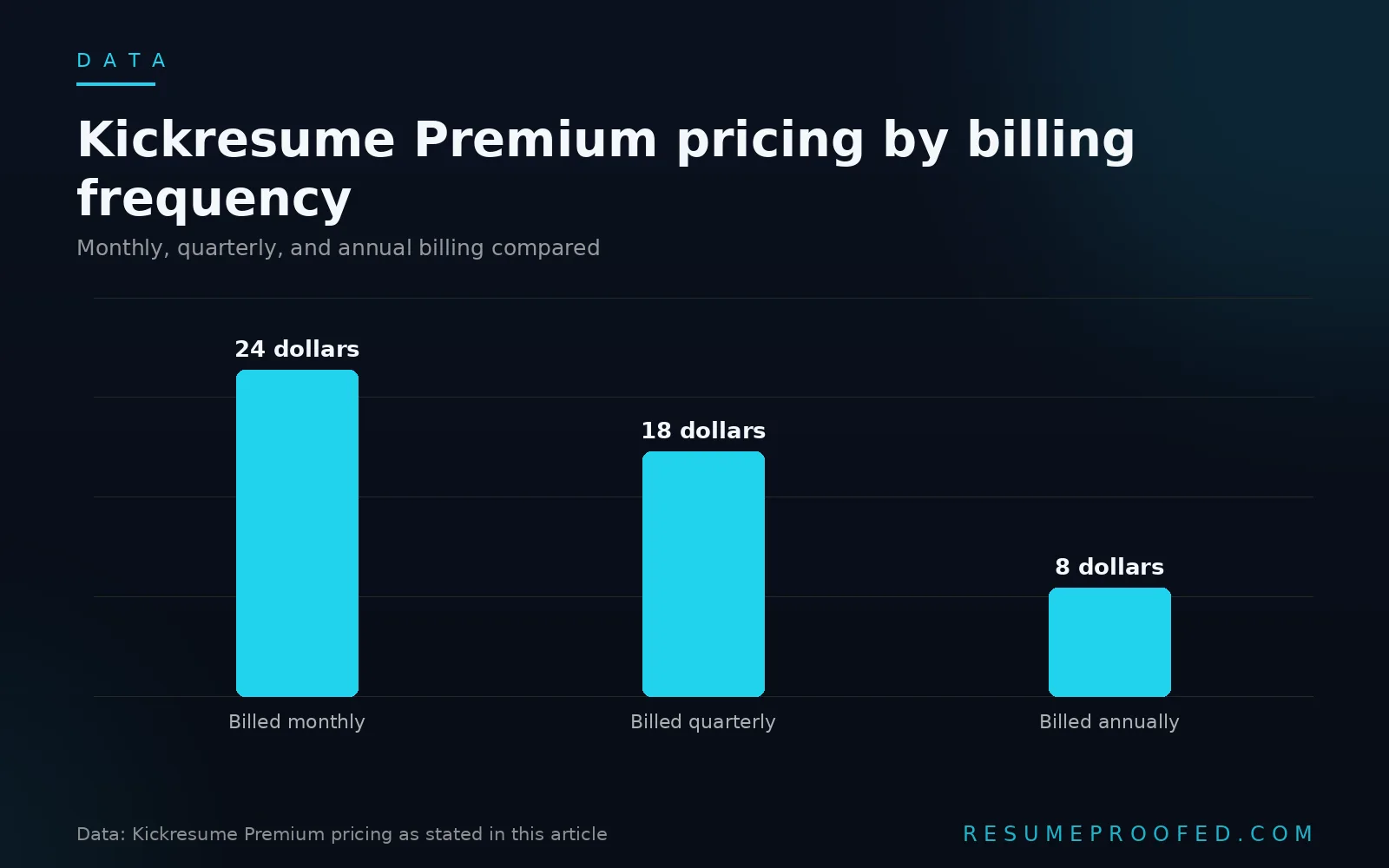
Kickresume's AI cover letter writer lets you upload or build a resume, select "Generate with AI," add the role and the job description, and get a tailored, formatted letter back. Per Kickresume's own FAQ, your first AI-generated cover letter is free. Our full Kickresume review covers the wider product in more depth, including an important nuance: Kickresume's standing free plan (four templates, unlimited downloads, no card required) does not include ongoing AI generation, that sits behind Premium at $24 a month, $18 a month billed quarterly, or $8 a month billed annually. Kickresume prices by region, so the figure you see may show in your local currency depending on where you're browsing from, treat those numbers as a snapshot rather than gospel and check the live page before you commit a card. The dedicated AI cover letter page's one free generation is a genuine trial of that paid feature, not a separate permanent free tier.
If you only need one well-formatted, AI-tailored letter right now, this is a legitimate way to get one for free. If you're applying to several roles this week, you'll hit the wall on the second letter.
Rezi: unlimited free cover letters, with or without a saved resume
Rezi's cover letter tool is the most generous of the account-based options on this list for cover letters specifically. Rezi's free plan includes one resume and three PDF downloads total, the same limits we documented in our full Rezi review, but cover and resignation letters are carved out as unlimited on that same free plan, a detail Rezi states directly on its own cover letter page. You don't need a resume already built inside Rezi to use it: Rezi's own tutorial for the tool says you can simply enter the company name, position title, and any specific past positions, education, or skills you'd like to highlight. Having a saved Rezi resume just lets some of those fields autofill, which Rezi describes as the ideal setup for speed, not a requirement.
For someone already using Rezi's free resume builder, that autofill makes this close to the fastest tool on this list. For someone who just wants a single quick letter, it's still usable without building a resume first, you'll just fill in a few more fields by hand.
LoopCV: the only tool here with zero signup, with a real trade-off
LoopCV's cover letter generator is the one tool on this list that asks for nothing: no account, no login, no email address. The page states plainly that all data entered stays in your browser and is never sent to a server, and disappears the moment you close the tab. You fill in your name, job title, target company, and key skills, choose from four templates (Standard, Enthusiastic, Achievement-Led, or Short and Direct), and copy out a finished letter.
The trade-off is real: this isn't a tool that reads a pasted job description and writes tailored language around it the way Grammarly, Kickresume, Rezi, or ChatGPT do. It's closer to a well-built mail-merge template than an AI writer, which makes it the fastest, lowest-friction option here and also the least customized one. If "no sign up" is your actual priority this minute, this is the honest answer. If "tailored to this specific job ad" is the priority, one of the other four will do that better.
ChatGPT: completely flexible, zero formatting help
ChatGPT isn't a dedicated cover letter product, but it remains a genuinely free way to generate one: paste in your resume text and the job description, and ask for a tailored cover letter. It requires a free OpenAI account to use, and the free tier has no hard, published cap on this kind of use. What you get back is plain text with no formatting, no letterhead, no template, which means you'll need to paste it into a document and format it yourself before sending it anywhere.
The upside of this flexibility is real: you can ask it to rewrite a specific paragraph, shorten the letter, or match a particular tone, in a way none of the template-driven tools above allow mid-draft. The downside is that the quality of what comes back depends entirely on how much detail you give it, a thin prompt produces a generic letter just as readily as a detailed one produces a specific one.
A worked walkthrough: the same job ad, three tools
Picture a candidate applying for a Customer Success Manager role at a mid-sized SaaS company, with a job ad that specifically mentions "reducing churn" and "onboarding enterprise accounts."
Run the resume and job ad through Grammarly first. It returns a complete, formatted letter referencing the candidate's actual experience, but written in fairly generic language around "reducing churn" since Grammarly isn't specialized in matching a resume's exact language to a job ad's.
Run the same resume and job ad through Kickresume, using the one free AI generation. It returns a similarly formatted, polished letter, and because Kickresume pulls more directly from the resume's existing bullet points, it's more likely to surface a specific number already sitting in the resume, like "reduced churn by 14% across an enterprise account book," rather than the vaguer phrasing Grammarly produced.
Finally, paste both into ChatGPT with a specific instruction: "Write a cover letter that leads with my churn-reduction result and directly references the job ad's mention of enterprise onboarding." The result is the most tailored of the three, specifically because the prompt did more of the work. That's the real difference between these tools: the dedicated products do more of the tailoring automatically, while ChatGPT does exactly as much tailoring as you ask it to and no more.
A short routine for using a free cover letter generator well
- Paste in the actual job ad, not a summary of it. Every tool here, except LoopCV, works directly from the job description's exact wording, and a shortened or paraphrased version loses the specific terms worth echoing back.
- Use your real resume text, not a stripped-down summary. The more specific detail the tool has to draw from, the less generic the draft comes back, which matters most with Kickresume and ChatGPT.
- Spend your one free Kickresume generation on your highest-priority application, not a test run, since every generation after the first sits behind Premium.
- Read the draft against the job ad's actual requirements before sending it. All of these tools occasionally miss a requirement or invent a generic line, a few minutes of editing catches it.
- Don't assume plain text from ChatGPT is ready to send. Format it into a proper letter, with a greeting, date, and closing, before it goes anywhere near an application.
Common questions
Is there a truly free AI cover letter generator with no sign up at all?
Yes. LoopCV's cover letter generator requires no account, no email, and no login, and states that your data never leaves your browser. The trade-off is that it fills a template from details you type in rather than analyzing a pasted job description the way the account-based tools on this list do.
Which free tool actually writes a cover letter from my resume and a job description?
Grammarly, Kickresume, Rezi, and ChatGPT all genuinely draft a letter based on your resume and a pasted job description. Grammarly's version is free and unrestricted after a free signup; Kickresume gives you one free AI-generated letter before a paywall; Rezi's free plan includes unlimited cover letters, and while a saved Rezi resume lets some fields autofill, it isn't required, you can enter the company, role, and highlights by hand instead.
Can I use ChatGPT to write a cover letter for free?
Yes, ChatGPT's free tier can generate a tailored cover letter if you paste in your resume text and the job description with a clear instruction. It requires a free account, and the output is plain text with no formatting or template, so you'll need to format it yourself before sending.
Is Kickresume's cover letter tool actually free?
Your first AI-generated cover letter is free. Ongoing AI generation sits behind Kickresume's Premium plan, which starts at $8 a month billed annually. Kickresume's separate standing free plan offers four cover letter templates and unlimited downloads with no AI writing included.
Do free AI cover letter generators produce output that's actually good enough to send?
Often yes as a first draft, rarely as a final one. Every tool in this roundup benefits from a few minutes of manual editing against the actual job ad afterward, since all of them can miss a specific requirement or default to generic phrasing when the input they're given is thin.
Which free cover letter generator is best for someone applying to many jobs quickly?
LoopCV's unlimited, no-signup generation is the fastest for sheer volume, though its templated approach means less tailoring per letter. Rezi's unlimited free cover letters are also a strong option for volume: generation stays free and uncapped whether or not you've built a resume inside Rezi, though doing so first speeds up each letter afterward via autofill.
Where ResumeProofed fits, and where it doesn't
ResumeProofed doesn't offer a standalone free cover letter generator the way these five tools do, and if what you need right now is a quick, no-commitment first draft, any of the five above will get you there. What ResumeProofed does instead is generate the cover letter alongside a matching resume from the same confirmed set of facts about your career, so the specific achievements your letter leads with are the same ones a hiring manager finds backed up two pages later, which is a different problem than the one these five free tools are solving.
Try ResumeProofed free: two tailored applications on the house, no card required.