Kickresume review: pricing, templates, and where the AI writer falls short
Kickresume pairs polished templates with an AI writer for $8 to $24 a month. Here is what a Kickresume review actually finds once you look past the design.
- Job search
- Resume tools
- Résumé writing
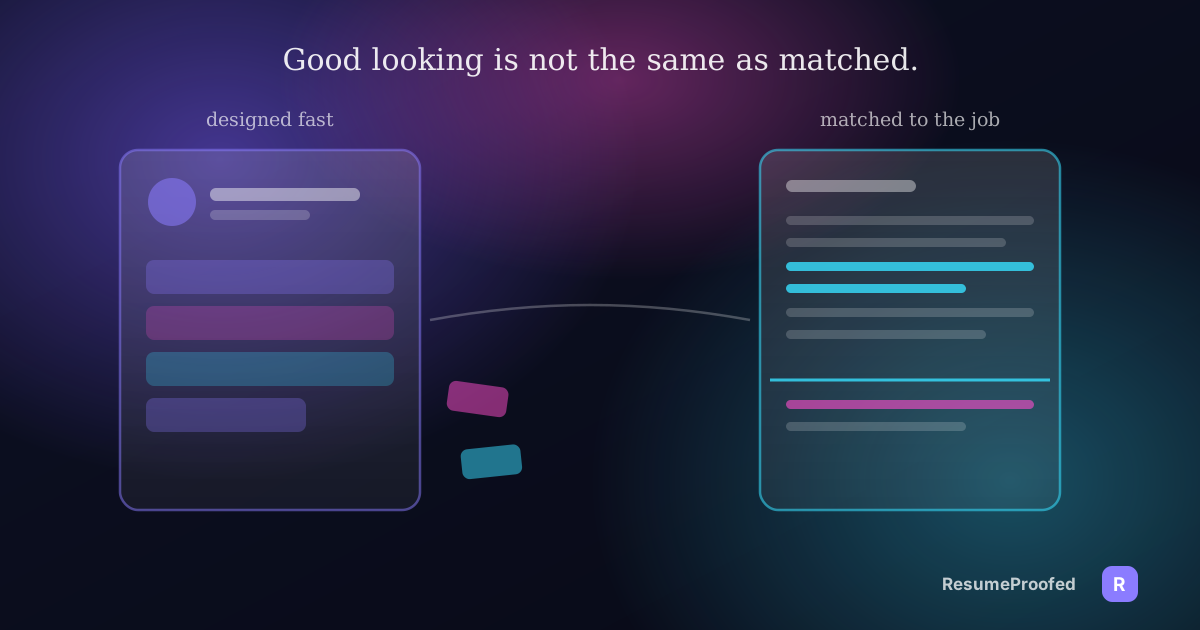
You landed on Kickresume because the templates looked good in the preview, and now you're trying to work out whether "looks good" is the same thing as "gets you an interview" before you hand over a card number. It's a fair thing to separate, because a Kickresume review that only talks about design is answering half the question. The other half is what the AI writer actually produces, what "ATS friendly" means when it's stamped on forty templates instead of four, and what happens when you try to cancel.

Here is the position worth stating early: Kickresume is a genuinely well designed resume builder with a real AI writer attached, and it is honest about what that AI writer needs from you to be any good. Feed it a job title alone and it produces the same confident, swappable prose every generic AI tool produces. Feed it specifics and the templates and structure do a lot of legitimate work. The gap between those two outcomes is most of what this review is about, and it's a gap Kickresume's own marketing doesn't spend much time explaining.
What you get on the free plan, and what unlocks
Kickresume's free tier is not a crippled trial. You get four resume templates, four matching cover letter templates, one personal website template, access to a library of more than 20,000 pre-written phrases and 1,500 resume examples, and unlimited downloads on whatever you build with those four templates. If your only need is a clean, competently designed resume built from a template and some phrase suggestions, the free tier alone is enough to leave with a finished document and never see a paywall.
What sits behind Premium is the rest of the catalogue: the remaining templates and cover letter designs, every colour and typeface option, the AI Writer itself, an ATS Resume Checker, a "Career Map" feature, LinkedIn and PDF import, the mobile apps, seven website templates instead of one, and priority support. The free plan is a real product. Premium is where the AI generation and the ATS-style checking actually live, which is the part most people are comparing when they ask whether Kickresume is worth paying for.
What Premium actually costs
As of pricing checked in August 2026, Kickresume's own pricing page lists three ways to pay for Premium: $24 a month with no lock-in, $18 a month billed quarterly at roughly $54 every three months, or $8 a month billed annually at roughly $96 a year, marked as the most popular option and saving 25 percent against the monthly rate. All three carry a 14-day, no-questions-asked refund window. Students can get Premium free for six months by verifying enrolment through ISIC, ITIC or UNiDAYS, which is a genuinely useful detail if you're job hunting straight out of study and the budget for a resume tool is close to zero.
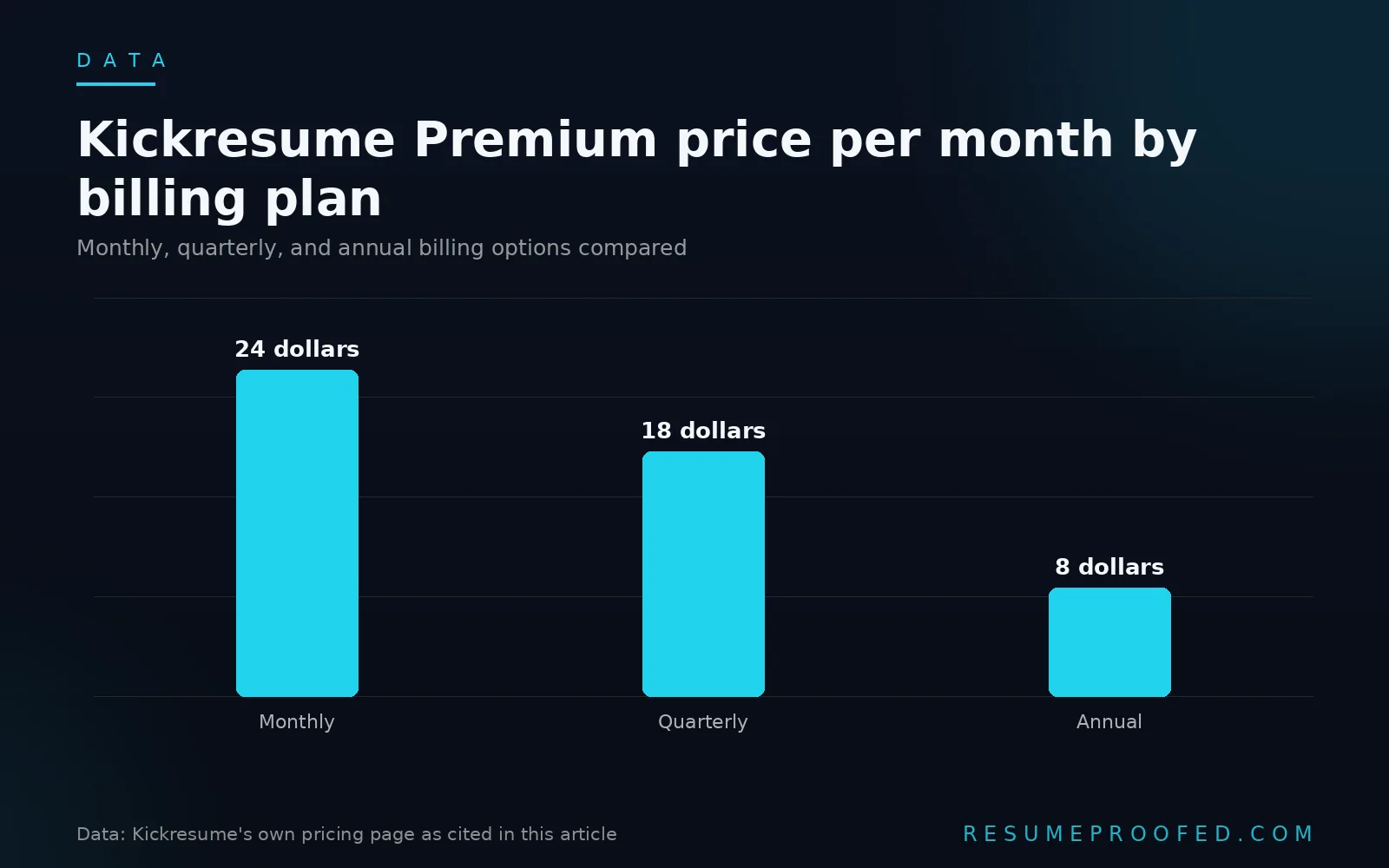
Kickresume prices by region and the figure on screen may show in your local currency depending on where you're browsing from, so treat the numbers above as a snapshot rather than gospel and check the live page before you commit a card, the same caution we'd give for any subscription tool in this category, including the alternatives compared in our Jobscan alternatives roundup.
The AI writer: what it's good at, and where it turns generic
Kickresume's AI Writer is built on GPT-4.1 and generates bullet points, professional summaries and skills descriptions on request, and it can also rewrite content you've already written or nudge phrasing toward a specific job description you paste in. Used well, it's a genuinely fast way to get from a blank template to a full first draft.
The catch is the one every AI writing tool in this category shares, and Kickresume doesn't hide it so much as leave you to discover it: fed nothing but a job title, the AI writer produces prose that could sit under almost any candidate's name for that role. Ask it for a bullet for a "Marketing Coordinator" with no further input and you get something in the shape of "Managed marketing campaigns and collaborated with cross functional teams to drive results," which is grammatically fine and says nothing a hiring manager hasn't read fifty times that week. This is the same mechanism we've written about for AI cover letter generators: the tool isn't the variable, the input is.
A worked example

Prompt with only a job title: "Write a resume bullet for a Customer Success Manager."
What comes back, roughly: "Managed client relationships and ensured high levels of customer satisfaction through proactive communication and issue resolution."
Every word of that is true of thousands of Customer Success Managers and specific to none of them.
Prompt with real detail supplied first: "I manage a book of 40 mid-market accounts worth $2.1 million in annual recurring revenue, and I cut our quarterly churn rate from 9 percent to 5 percent by building a proactive check-in cadence."
What comes back, roughly: "Managed a portfolio of 40 mid-market accounts worth $2.1 million in annual recurring revenue, reducing quarterly churn from 9 percent to 5 percent through a proactive client check-in cadence." Same tool, same few seconds of generation, a bullet that couldn't be swapped onto a different candidate's resume without the numbers being wrong.
The lesson holds regardless of which AI resume tool you're using: write down your actual numbers first, then generate, not the other way around.
"ATS friendly" templates: what the claim actually covers
Kickresume markets its templates as ATS friendly, and for a meaningful share of the catalogue that's a reasonable claim: single column layouts, standard section headings, no graphics standing in for contact details. It is not true of the whole library. Some of the more visually distinctive templates, multi column layouts, sidebar skill graphics, icon based section headers, are the kind of design an applicant tracking system's parser can genuinely stumble on, which is a general risk with any heavily designed template and not unique to Kickresume. If you're choosing a template with an ATS in mind, pick from the plainer end of the catalogue on purpose rather than assuming the "ATS friendly" label applies uniformly across all forty plus options. Our guide to whether ATS software actually rejects resumes covers what these parsers genuinely do and don't do, which is worth reading before you let a template's visual appeal outweigh how cleanly it parses.
What actual users report

Kickresume holds a strong 4.6 out of 5 on Trustpilot from roughly 3,600 reviews as of early 2026, with about three quarters five star and a small single digit share at one star. The positive reviews cluster around exactly what you'd expect from the product described above: fast, good looking output and a genuinely wide template range.
The recurring complaints in the lower rated reviews cluster around three things. First, billing: subscriptions renew automatically, and some users report the renewal charge arriving with less warning than they expected. Second, cancellation: there's no one click cancel button in the dashboard, and ending a subscription means emailing support directly rather than flipping a toggle, which is a meaningfully worse experience than most subscription software in 2026. Third, generation limits: Premium's AI features are usage capped within a billing cycle, and some reviewers report hitting that cap while still actively building out a job search, which is worth knowing before you assume "Premium" means unlimited generation. None of these are dealbreakers on their own, but they're the kind of friction that only shows up after you've already paid, which is exactly why a review should mention them before you do.
Who should use Kickresume, and who needs something else
If what you want is a genuinely well designed resume, built fast, with a real AI writer to draft the first pass of your bullets, Kickresume does that job competently, and the free tier is enough to test the design quality before you spend anything. It's a strong pick if your bottleneck is "I don't know how to make a resume look professional" or "I'm starting from a blank page and need momentum."
It's the wrong tool if your bottleneck is different: matching one specific resume to one specific job ad's actual language, rather than producing a generically strong document. Kickresume's AI writer can be pointed at a job description, but it isn't built around a verified history of what you've actually done the way a dedicated tailoring tool is, and it doesn't score match rate against a pasted job ad the way a scanner like Jobscan does. If job-specific matching is the actual problem, our comparison of the best resume tailoring tools covers the tools built specifically for that question rather than for the design and drafting question Kickresume answers well.
A short routine if you decide to use it
- Start on the free tier and build your resume structure first, using one of the four available templates, before paying for anything. This tells you whether the design quality and workflow suit you at zero cost.
- Write down three to five real numbers from your actual work before you touch the AI writer. Revenue figures, team sizes, percentage changes, anything concrete. Generate after you have these, not before.
- If you upgrade, pick the annual plan only if you're confident you'll use it past one job search, since the monthly-to-annual price gap is large and a single active job search rarely needs more than a few weeks of access.
- Choose a plainer, single column template if ATS parsing is a real concern for the roles you're targeting, rather than assuming every template in the library carries the same "ATS friendly" guarantee.
- Set a calendar reminder before your renewal date if you don't plan to keep the subscription, since cancellation requires an email rather than a dashboard toggle.
Common questions
Is Kickresume worth paying for?
It depends on what you need. For a professionally designed resume built quickly with AI-assisted drafting, yes, the template quality and the free tier's ability to test it first make it a reasonable value. For matching a resume closely to a specific job ad's language, it's a weaker fit than a tool purpose built for that comparison.
Is Kickresume actually free?
Partially. The free plan includes four resume templates, four cover letter templates, one website template and unlimited downloads with no payment required. The AI Writer, the full 40-plus template library and the ATS checker sit behind the paid Premium plan.
How much does Kickresume Premium cost?
As of pricing checked in August 2026, Premium runs $24 a month with no commitment, $18 a month billed quarterly, or $8 a month billed annually, all with a 14-day refund window. Prices are shown by region and can change, so confirm the current figure on Kickresume's own pricing page.
Are Kickresume's templates actually ATS friendly?
Many are, but not uniformly across the whole catalogue. The plainer, single column templates parse cleanly. Some of the more visually elaborate designs, with sidebars or icon-based headings, carry the same general parsing risk any heavily designed resume template does, regardless of the tool that built it.
Does Kickresume's AI writer produce generic content?
It can, if you give it nothing but a job title to work from. Given specific numbers and details about your actual experience before you generate, the output is meaningfully more specific and harder to mistake for a template answer.
Is it hard to cancel a Kickresume subscription?
Harder than a single click. There's no self-serve cancel toggle in the dashboard as of this review; ending a subscription requires emailing support directly, which some reviewers flag as more friction than expected.
Where ResumeProofed fits, and where it doesn't
Kickresume and ResumeProofed are solving adjacent but different problems. Kickresume gets you to a well designed, professionally formatted resume fast, with AI assistance drafting the language. ResumeProofed starts from a confirmed master profile of things you've actually done and tailors a resume and cover letter to one specific job ad's wording each time, from evidence you've verified rather than a job title alone. It doesn't offer forty template designs or a personal website builder, and it isn't trying to. What it changes is the specificity problem this review keeps circling back to: the difference between a bullet that could belong to anyone in the role and one that could only be yours.
Try ResumeProofed free: two tailored applications on the house, no card required.