LinkedIn headline examples for job seekers
LinkedIn headline examples for job seekers: a simple role, skills and proof formula, 10 before/after rewrites, and what we can and cannot say about search.
- Job search
- Career advice
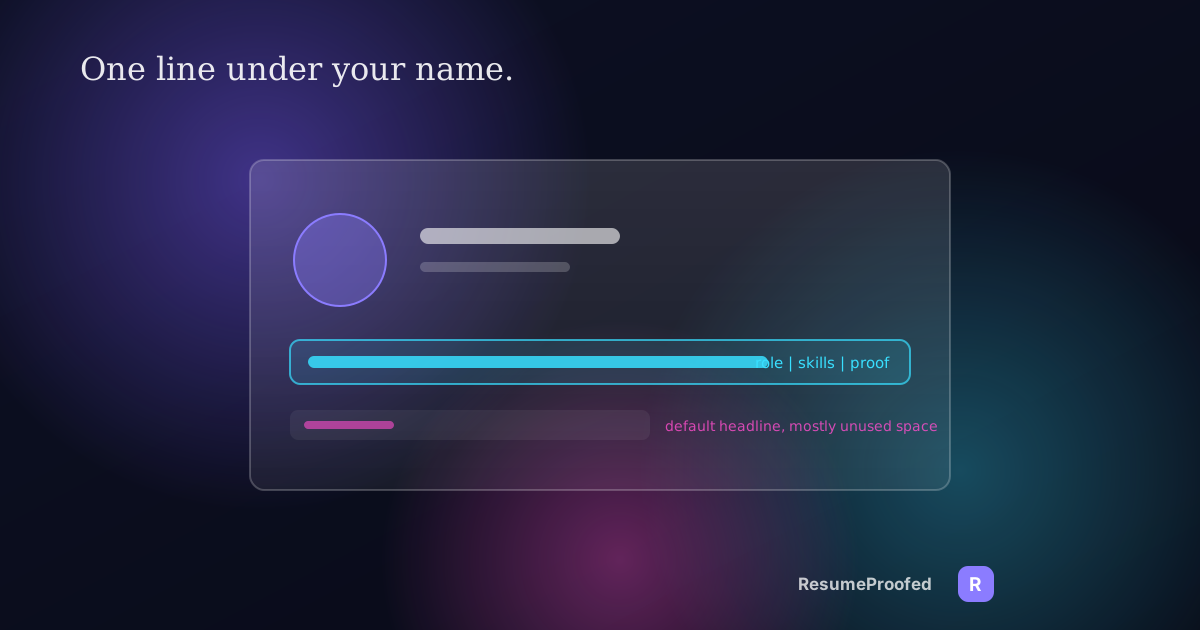
Your LinkedIn headline is the line under your name, and for most job seekers it is something LinkedIn wrote for them. When you add a job to your profile, LinkedIn creates the headline from your positions. That is why so many profiles read "Marketing Coordinator at Acme" or "Student at State University". It is accurate and it tells a recruiter almost nothing about what you want next. These LinkedIn headline examples for job seekers show how to fix that in about ten minutes.

The position of this guide is deliberately modest. A great deal of advice online claims the headline is the most heavily weighted field in LinkedIn search. LinkedIn does not publish its ranking weights, so nobody outside the company can prove that. What we can verify is smaller and still useful: the headline shows up under your name on your profile and in search results, you are allowed to rewrite it, and it is the first line a person reads about you. That is reason enough to write it deliberately.
What we can verify about the headline
From LinkedIn's own help pages:
- Your headline is created automatically when you add your positions to your profile.
- You can rewrite it, either to promote an area of expertise or to let your personality show.
- It appears below your name in the introduction section of your profile and is displayed in search results.
- It does not have to match your job title. You can use it to promote an area of expertise, or to signal a status such as being between roles.
- If your headline simply repeats your current position, that position is not shown separately in the top section of your profile.
Several career sites give the length limit as 220 characters. LinkedIn's help pages we read do not state a limit, so treat 220 as a widely reported figure and let the edit box on your own profile be the final word. Either way, you have room for a full sentence of useful information, which makes the default of a single job title a waste.
One more caution. Some sources say the headline is the "most search-weighted" field. That is an assertion by the authors, not something LinkedIn has confirmed. Write for the human reader first. If it also helps in search, that is a bonus, not a promise.
A simple formula: role, skills, proof

A structure that appears in several career guides, including one from ATS Verification (a commercial site, so read its other claims with care), is:
[Target role] | [2 to 4 searchable skills] | [proof: credential, scale or result]
The logic is sound regardless of search weighting. The first slot tells a reader what you want to be hired as. The second slot gives the specific skills a recruiter would filter or scan for. The third makes a claim someone could check. Spell out job titles in full rather than abbreviating, because a reader skimming a results page does not stop to decode "VP" versus "Vice President", and a person searching might type either.
Before and after: 10 examples
The people below are invented for illustration. Use the pattern, not the content.
If you are employed and looking quietly
Before: Marketing Coordinator at Northwind
After: Marketing Coordinator | Email lifecycle, HubSpot, A/B testing | Grew open rates from 18% to 31% in 12 months
Before: Accountant at Harbour & Co
After: Accountant | Month-end close, Xero, GST reporting | Manage books for 30 small-business clients
If you are between roles
LinkedIn's help page notes you can indicate a status in the headline. State your direction first and your status second, not the other way round.
Before: Unemployed
After: Operations Coordinator | Logistics, inventory, SAP | Open to roles in Melbourne
Before: Seeking opportunities
After: Customer Success Manager | Onboarding, renewals, churn reduction | Recently completed a 14-month contract
"Open to work" language is fine, but the first words should still describe what you do.
If you are changing careers
Before: Teacher at Northside High
After: Learning Designer (moving from classroom teaching) | Curriculum, e-learning, Articulate | 8 years designing lessons for 150 students a year
Before: Retail Manager
After: Operations Analyst in training | Excel, SQL basics, stock analysis | 6 years running a 20-person store
Naming the move openly is more persuasive than hiding it. It tells the reader you know what you are doing. For a longer walk-through of framing a switch, see our piece on resumes for career changers with no experience.
If you are a student or recent graduate
Before: Student at State University
After: Final-year Commerce student | Financial accounting, Excel, data analysis | Seeking a 2027 graduate analyst role
Before: Graduate
After: Civil Engineering graduate | AutoCAD, structural analysis, site safety | Completed a 12-week industry placement
If your skills are still developing, be honest about the level. Our guide to a resume for your first job has the same principle for the resume itself.
If you are in a trade, health or service role
Before: Electrician
After: Licensed Electrician | Residential fit-outs, switchboard upgrades, testing and tagging | 10 years, own tools and vehicle
Before: Registered Nurse
After: Registered Nurse | Acute medical ward, wound care, medication management | 7 years in a 30-bed unit
Keep any patient or client details out of it. A scale like "30-bed unit" says plenty without identifying anyone.
How to write yours in ten minutes
- Open the job you want. Copy the exact title from two or three ads, not what your current employer calls it.
- Pick two to four skills the ads repeat and that you genuinely have. Our post on finding keywords in job ads shows how to spot them.
- Choose one proof point. A number, a credential, a scale or a named result. If you cannot back it up in an interview, leave it out.
- Put the pieces together with a vertical bar or commas, and read it aloud. If it sounds like an ad, trim the adjectives.
- Check the first 60 characters. On a small screen, results can be cut off, so put the most important words first.
- Match your resume. The title and skills in your headline should agree with your resume, since a recruiter will probably compare them.
What to avoid
- Buzzword stacks. "Passionate, driven, results-oriented thought leader" says nothing a reader can check.
- Claims you cannot support. "Top 1% sales performer" invites a question you will have to answer.
- Cryptic abbreviations. Spell out titles and skills unless the abbreviation is the standard term in your field.
- A headline that contradicts your profile. If it says data analyst and your history says barista with no explanation, add a summary that bridges the two.
- Emoji clutter. One may be fine in some fields; a string of them is noise.
- Describing a past job. The headline is for where you are going.
Headlines and the recruiter's side

Recruiters increasingly use software to help find and rank people. We cover the direction of travel in our piece on LinkedIn's hiring assistant. Without claiming to know how any specific tool weights a headline, it is reasonable to say that clear role titles and concrete skills help both a human skimming results and software reading text. A headline that says what you do in plain terms works for both audiences.
If you are also weighing where to spend job-search time, our comparison of TikTok and LinkedIn for Gen Z job seekers may help.
Keep the headline current
Treat the headline like a small part of your job-search kit. Revisit it when you change your target role, finish a course, win a certification or hit a measurable result. A ten-minute edit before each new round of applications keeps it aligned with the resume you are sending.
Common questions
What should my LinkedIn headline say when I am job hunting?
It should name the role you want, list two to four relevant skills and, if possible, add one piece of proof such as a result or credential. This does more work than a default job title and lets a reader see your direction at a glance.
How long can a LinkedIn headline be?
Career sites commonly report a limit of 220 characters, though LinkedIn's help pages we read do not state one. Check the character count in your own edit box, and keep the most important words in the first 60 or so.
Does the LinkedIn headline affect search?
LinkedIn shows the headline in search results, so it is visible to people scanning them. Claims that it is the most heavily weighted field are unconfirmed by LinkedIn, so write it for clarity and treat any search benefit as a bonus.
Can my headline be different from my job title?
Yes. LinkedIn's help page says you can rewrite it to promote an area of expertise or show personality, and that you can use it to indicate a status. It does not change the entries in your experience section.
Should I put "open to work" in my headline?
You can, but lead with what you do. "Operations Coordinator | Logistics, SAP | Open to roles in Melbourne" carries the same message as a bare "Seeking opportunities" with far more information.
What is a good LinkedIn headline for a career changer?
Name the target role, say plainly that you are moving into it, and support it with the transferable skills and a result from your past work. Being open about the change reads as confident, not apologetic.
Where ResumeProofed fits, and where it doesn't
ResumeProofed does not edit your LinkedIn profile or promise any change in how often recruiters find you. It is built for the resume and cover letter side of an application. Where it can help here is consistency: the target title and skills you tailor into each resume come from facts you have confirmed, and those same confirmed facts are a safe source for the proof point in your headline. Write the headline yourself, then check it agrees with what your resume says.
Try ResumeProofed free: two tailored applications on the house, no card required.